Showing posts with label regression. Show all posts

Tuesday, July 3, 2018

Testing Tour Stop #14: Pair Evaluating a Visual Regression Testing Framework with Mirjana

Yesterday I enjoyed yet another stop on my testing tour. This time I was joined by Mirjana Andovska. In the beginning of our session she shared that she was the lone tester at her company, just as I have been for a long time. She saw my tweets about my testing tour and knew she had to try that as well, so she signed up. How awesome is that?!

When asking what she would like to pair on, Mirjana answered automation. I found out that she has a lot more experience in automation than I have, so I was really glad that she wanted to pair with me. She was especially interested in visual regression testing, mutation testing, and automated security testing. All great areas of expertise I would love to learn more about! In the end we decided to go for visual regression testing. Mirjana was so nice to even prepare playground projects so we could start our session right away and get to know the available frameworks better.

Learning While Walking Through

As Mirjana kindly took over preparation, our first step was to walk through the available projects and see what's already there and what she learned so far. She had revived an older playground project of hers using the Galen Framework, as well as created a new project to try out Gemini as visual regression testing tool. Unfortunately, it wasn't as easy as expected to get Gemini running on her computer, as it shows a dependency towards node-gyp which has a known issue on her operating system Windows 10 requiring permission to install further software.

We decided to go with the Galen playground project first and learn more about this framework before maybe trying to get Gemini running on my laptop running macOS. But first of all: why Galen and Gemini? Mirjana referred to a quite recent overview of the different frameworks available for visual regression testing. Based on her team's needs and what she read about the tools, she found that Galen and Gemini looked most interesting to check out first.

The playground project Mirjana provided was based on the getting started documentation and the first project tutorial for the Galen Framework. She had already implemented a first test for a sample website. We only had to run Selenium locally as standalone server, execute the tests and see how it was working. Just by Mirjana walking me through the playground project, we both learned more about how the framework works, while extending our knowledge on the way.

Which Framework to Chose?

The main purpose of our session was to learn more about the Galen framework and evaluate it. We wanted to discover pros and cons, as well as learn the answers to the following questions.
  • How easy is it to set it up and configure?
  • How easy is it to write a test?
  • How easy is it to maintain the tests?
  • How easily can you understand the resulting reports? Can you quickly see what is wrong so you can fix it based on this information?
With every step we found out more. Here's what we learned.
  • The spec files included CSS locators for objects as well as the test specification. We noted for later to find out whether we could also have the locators separate from the test specification.
  • Galen takes screenshots of the whole page as well as of the single elements to be located. Using images of only part of the page for comparison was pretty nice. However, when looking at the different menu items of a sample navigation bar, we found that the images were cut at different places, sometimes even cutting the menu item text. We felt this was quite strange, so we added it to our list of things to be investigated later.
  • The test report can be defined. We tried the html report, which included a heat map visualizing what the tests covered; pretty nice. However, the report captured the console output only from the framework, but not from the application itself which would make it easier to see the information needed to reproduce a bug.
  • The test run didn't close the browser in the end, so we noted that we would need to take care of this ourselves.
  • We wondered how to add more specs in one test runner file. We postponed this question for later investigation.
  • We learned that we can specify tests in JavaScript as well as in other languages like Java.
  • We saw options to test for desktop or mobile. We decided to not dive deeper here for now.
  • We found that it's really easy to run the tests not only locally but also on different servers, or on services like BrowserStack or similar.
  • We ran the tests on BrowserStack, and the tests failed due to differences. At first we assumed that the differences were due to the different operating systems Windows 7 and 10 as the Chrome version was the same. However, when looking at the compared images, we saw that the expected version showed a scrollbar where the actual image did not.
  • This led to the question how the expected comparison image was created. Maybe on first run? Maybe when running the "dump" command we found? Or did it take the expected image from the last test run?
  • We had a deeper look at the command to create a page dump.
    • The Galen documentation told us that "With a page dump you can store information about all your test objects on the page together with image samples."
    • We ran the command and waited. With time passing, we began to wonder whether it was still running or not, especially as it didn't provide any log output anymore. We decided to let it run a bit more and found that it took about three minutes.
    • We learned that the dump command, unlike the test command, did indeed close the Chrome browser after it ran through. The dumping processes generated lots of files: html, json, png, js, css files and more.
    • We discovered that the dump report gave us spec suggestions, but only if we selected two or more defined areas like the viewport and a navigation bar element. It seemed the provided suggestions should always refer to how an area related to another one.
    • Mirjana thought this would come in handy when a developer missed to align all navigation elements. I added that we could use this feature to explore the page. As the tests are quite slow in nature, we might only automate a part of them as a smoke test and explore around that manually.
    • If you'd like to have a look yourself, here's the official example page of a dump report, ready to be played with: http://galenframework.com/public/pagedump-example/page.html
  • Checking out the official documentation, we discovered the "check" command to run a single page test.
    • Here we learned that there are also options to create a TestNG, JSON or JUnit report.
    • The html report resulting from the check command showed a different structure than when executing "test", which we found interesting.
  • We still had not seen how the reference images were really created and wanted to test our assumptions. Sometimes you need to recheck the basics also at a later stage.
    • Documentation told us that the dump creates images that should be used for comparison.
    • When experimenting, we found that for "check" the stored reference images were actually used for comparison. However, when running the spec files as "test", it seemed to take the image of the last run as reference. Might this be a bug? It's always interesting to check out the reported issues when evaluating a framework.
At the end of our session, I asked Mirjana about the pros and cons she sees regarding the Galen Framework from what we learned so far.

LikedSo-soDidn't like
  • Easy to change configuration and run parameters, providing the flexibility to run the tests anywhere and in different combinations
  • Specifications for objects
  • Suggested specs feature; she shared that I opened her eyes for how to use it for exploring as well
  • Java or other options to write tests; depending on qualification or the type of project it's good to have the freedom to chose
  • Easy to run on Jenkins
  • Easy framework setup
  • Really nice documentation
  • A little bit confusing tests, maybe related to not being used to JavaScript too much
  • JavaScript files as additional layer of configuration besides the Galen config, the run command and the spec
  • Structure of the tests; we kind of tackled them but need to read more as we would also need to maintain them
  • You have to be careful with indentation when writing tests as you get an exception if it differed from expectation; especially if you use another editor for fast editing
  • Different reporting depending on the command used

All in all, Mirjana shared that from her perspective much depends on the purpose of these tests in the first place. Each test should give us an answer to a question, manual as well as automated. Sometimes it's not a yes or no. Developers might not be used to that, but reports can give us much more information than true or false, like a percentage of how much the result differs from the expectation.

As shared earlier, Mirjana had also set up a Gemini playground project. However, the test project failed to run due to missing dependencies which need to be installed what is not easy if you lack the required permissions. Also, it was hard to search and find this kind of information. She allocated the same timebox to explore both frameworks, but she didn't get as far with Gemini as she did with Galen.

In her experience, you only have a limited timebox like one day to try things out. You don't have infinite time or budget or resources. This is usually an important parameter when evaluating frameworks. However, it also depends on the skills of the one who tries them. This means, if you don't have the most knowledgeable person do it, it's a trade-off. I think that this is a puzzle you cannot solve as you only discover what kind skills, knowledge, experience you really need while you're already at it, not before. Mirjana gave the valuable advice that when you want to evaluate a tool, you need to have a familiar environment as system under test. At best it's a real project which is very simple so you can write simple tests, otherwise you will lose time inspecting the elements and learn about the application.

The Value of Learning Together

In the middle of the session Mirjana asked me: "Did you check the time? Because I'm having fun! :D" In the end, we spent 150 minutes testing together instead of the originally allocated 90 minutes.

I found the session really interesting and valuable. Mirjana had it really well prepared which I really appreciate a lot! So far I had only watched demos of visual regression testing but never saw it running for an actual product. By pairing up, I now had this opportunity and I'm thankful for it. In my experience I get way farther in less time this way than when I'm on my own.

Mirjana shared that in between her daily work she looks for ways to make her life easier. She tries to experiment, see what is new, what we can do more. Visual regression testing was one of the topics on her todo list. She had started the Galen playground project some time ago and realized by coming back to it now that she had grown a lot and learned a lot more since then. She hasn't seen the actual use of such a framework yet either, and also setting up a JavaScript project is not her everyday work. By doing it together I gained more insights about visual regression testing from her and could give more ideas back to her. Now we both have a starting point. And that's awesome.

Saturday, June 2, 2018

Testing Tour Stop #11: Pair Exploring Test Ideas with Viki

The first time I met Viktorija Manevska was back at Agile Testing Days 2015, the very first conference I've ever attended. Before the first conference day started, I joined the lean coffee session hosted by Lisa Crispin and Janet Gregory. Both Viki and I found ourselves at Lisa's table, sitting next to each other. This is where we started to exchange experiences. Since then, we met each other each year at the same lean coffee table on the first conference day! :D Viki helped me a lot by sharing her story as first-time conference speaker and providing feedback on my own first steps towards public speaking. We had several Skype calls over the last year which proved invaluable regarding knowledge exchange, just like all my sessions with Toyer Mamoojee. I really love how I have met up with more and more other awesome testers over the last months! I signed up for a virtual coffee to get to know other testers like Milanka Matic, Amber Race or Kasia Morawska. I really enjoyed the calls I had with Mirjana Kolarov. And I loved meeting Anna Chicu finally for the first time! All those meetings were invaluable, full of knowledge sharing, story telling and having a good time together.
Now, back to Viki. She just recently moved to Germany to work for a consultancy. Having worked in product companies before, her current project provided new opportunities as well as posed new challenges for her. We decided to focus our pair testing session on one of those, on a part of testing that might not come to mind as first: generating and challenging test ideas as input for exploratory testing sessions.

A Session of a Different Kind

This time, there was no software under test - instead, we tested and challenged ideas. Test ideas that Viki had already brainstormed and provided as input for our testing. The result? We discovered more ideas. We restructured current ideas. We removed duplicates. We challenged procedure and more. All with the goal to improve and make it better, like we testers usually do with everything that gets into our hands.

While brainstorming and discussing, we talked a lot about testing itself. Have you used tours as a method to explore a product? I normally use cheat sheets heavily to generate further test ideas, identify further risks, come up with further questions about things we haven't talked about yet. Cheat sheets like the infamous test heuristics cheat sheet by Elisabeth Hendrickson, among other great resources. This way, wee started talking about exploratory testing itself. How structured should it be? Sometimes I feel my own sessions would benefit from a bit more structure, but I'm still happy with starting out to look for risks in the area of A and ending up with discovering a lot in section S. However, exploring is not unstructured and seldom goes without a clear mission or note taking. What I really love is Elisabeth Hendrickson's definition of exploratory testing, as stated in her most awesome book Explore It!.
Simultaneously designing and executing tests to learn about the system, using your insights from the last experiment to inform the next
In my opinion, too much structure or being too strict about it removes the part of adapting your way according to what you learned. Having the product show you the way, or better multiple ways, following them to explore areas of unknowns. At times I wonder whether Maaret Pyhäjärvi was thinking of that when saying that "the software as my external imagination speaks to me"; a notion I often pondered over.

Now, the system to brainstorm test ideas for was a typical untypical web application. Something known like signing up for a user account, something unknown due to the specific domain. We started with ideas around negative testing, UI testing, smoke testing, and workflow testing. Going forward, we produced a lot more ideas, asking so many questions about the product, and also about testing itself.
  • Would you consider different browser settings like turning JavaScript off as negative testing? It could be a normal use case for certain users.
  • What about high security settings or incognito modes? Some users just care more about privacy than others, still they don't mean any harm to your application.
  • What about popup blockers or ad blockers? They are quite frequently used.
  • How to best limit the input for a name field? This made me think of Gojko Adzic's recent book Humans vs Computers as well as his famous Chrome extension Bug Magnet, a really useful tool to quickly test out valid or invalid input values.
  • Or the Big List of Naughty Strings! I've known it for a long time but haven't used that one much yet. There's definitely more to it.
  • This brought up the topic of SQL injection, a common vulnerability to check for. In general, user data must not be at risk, so let's see if we can get login information, take over user sessions, or simply can view other user's unsecured pages.
  • What about tampering with system settings like your local time, could you trick the application to provide you better offers that are based on dates?
  • You send emails? Really important to test those properly then. In one of my previous teams, formatted emails were displayed very differently using different email clients. Are the parameters of the email template filled with the correct values depending on given conditions? Are potential images attached that need to be downloaded? Are the links correct? Could the email be considered as junk and filtered out? How long does it take to receive the email?
  • What happens if you bookmark the URL while being in the middle of a process to share it with someone else?
  • What about the browser back and also forward buttons, could they lead to unexpected, inconsistent, or simply unpleasant behavior?
  • What about consistency regarding styling? Is the UI accessible, e.g. for color-blind people?
  • Which kind of browsers, browser versions, operating systems/devices, screen resolutions do we really want to support?
  • Would you have manual smoke tests? Why not automate those sanity checks instead of repeating them over and over again?
  • What about alternative paths through the application, mixing up the order in which you can do things or skipping steps - would you still reach your goal as a user? Should you be able to do so or is there a prerequisite for critical things?
  • Have you ever tried the nightmare headline game to discover what would be the worst to go wrong?
  • Oh and: although we received so many emails about it lately - have you really considered GDPR compliance?

Looking Back

Both of us loved the session! Viki said she was really satisfied with the outcome. It was great to hear a different opinion, especially from another fresh tester point of view coming from the outside. Sharing experiences, experiments and stories provided lots of value for both of us. I was really glad my input helped her further, especially regarding testing emails, SQL injection and GDPR. I personally really enjoyed to have a completely different pair testing session, exploring mind maps, challenging ideas and thoughts, discussing structures, procedures, and strategies. Exchanging information about different positions, roles, expectations, and ways of collaboration - which is so important as well when testing. Talking about exploratory testing, what we understand, what we do, how we give feedback and create transparency, how we provide value. Just as Viki said, quoted freely: "Name it like you want, but it's important to deliver value." I so much agree.

Sunday, June 18, 2017

Our First Take On BDD

Most probably you came across behavior-driven development already. But what is behind this term? What is at its core? How does it benefit a team?

Years ago I read a lot of blog posts about BDD and was intrigued to experience it myself. When starting in my current team, I began to spread my thoughts about trying BDD to see if this approach would help us. It took quite a while, but finally the team agreed to give it a try.

So here we are. We started experimenting with BDD and had our first Three Amigo sessions to kick our stories off and create shared understanding before starting implementation. We had our product owner on board, the developer who pulled the story, and me as a tester. We talked about the scenarios we see and discussed concrete examples. We raised questions and discovered unknowns. We decided what's in scope and what might follow later or never. We captured our thoughts as conveniently as possible, be it using Gherkin's Given-When-Then syntax for scenarios or any suitable graphical visualization. We decided on which scenarios to automate, on which level to automate them (mocked, through API, or through UI), and which scenarios to leave for manual exploration only.

Right after our first Three Amigo session, the developer told me how much she loved it. Now that we clarified everything we could think of at that point, she felt confident to be able to focus on implementation, without having lots of question marks on product side. She even said she wanted to do this on all stories from now on. As for myself, I could not agree more. I felt that the biggest part of testing had already been done. As most of my questions were already clarified, I could focus on looking for further unknown risks when testing the actual product increment.

Our experiments triggered me to read about BDD again. I found several awesome blog posts, all emphasizing how important having those initial conversations are to create shared understanding by discussing examples and therefore to drive development. All of them stated that automation is nice to have, but that this is not the main point of BDD. Of course, when you automate the discussed core scenarios, you also have an executable specification, improved your regression safety net, and added living documentation. Still, Augusto “Gus” Evangelisti concludes for himself:
"BDD is about conversations and collaboration to generate software that matters"
 Liz Keogh even goes beyond software:
"I can’t even say that BDD’s about “writing software that matters” any more, because I’ve been using scenarios to explore life for a while now."
"BDD is the art of using examples in conversation to illustrate behaviour."
"If you’re not having conversations, you’re not doing BDD."
"BDD isn’t about the tools. It’s about the conversations you have, exploring examples (or scenarios) of an application’s behaviour, to see if everyone has the right understanding."
"Some people really focus on the tools and testing. Others focus on specification. Really, though, it’s exploration that we start with; those thought-experiments that are cheap to change, and not nearly as dangerous as the real thing. [...] It’s pretty easy to explore what they want using examples, then use the results of that conversation as specifications, then as tests."
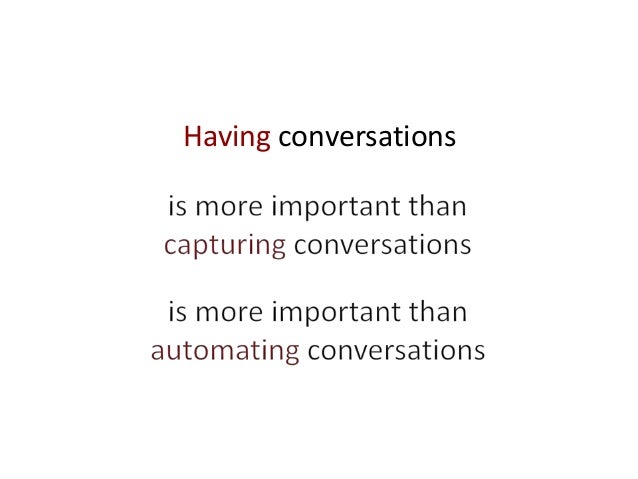
Having conversations is more important than capturing conversations is more important than automating conversations
Having those quotes in mind, can we call our team's first steps with BDD actually BDD? I guess yes, but I think we have to gain more experience before I can truly answer this question for myself. However, I already know that having those conversations upfront to increase shared understanding, explore stories and clarify questions helped us a lot to deliver actual value to our users. It was worth investing the time and it will be worth asking again: "Can you give me an example?"

Thursday, December 22, 2016

My Roller Coaster Years

When talking to other testers, I love to hear where they come from and where they are heading to on their testing journeys. Listening to those personal stories I search for similarities I can related to, as well as contrasts I can learn from, getting to know the person better on the same time. In the next couple of posts I want to share some milestones of my personal testing journey with you.


When I suddenly became the tester on my first development team in 2010, I was a bit scared. We were a small startup company so there simply was no other tester anywhere around. No one who could tell me what I should do, or mentor me on my way. I started by checking any related book we had in our small team library. The few I found served at least as a starting point, but weren't as helpful as I wished for. So I proceeded to learn by doing. Started thinking about what I planned to test for the upcoming backlog item, noted my assumptions, compared them with the actual behavior, searched for answers to my open questions, listed other things I wanted to try, talked to the team, retested fixes, and so on. That worked out well enough for the beginning.

Still I felt there's something amiss: My boss advised me that a tester should be independent from the development team. Seated me in another room, separated from all the others. It was a strange situation and I felt left out. To make it even worse, his expectation of an agile workflow was that the dev team implements a release candidate during one sprint and I test it during the following, while the others (surprise, surprise) already work on the next backlog items. I thought this could not be the way to go and searched the internet for advice. And found lots of it!

So I triggered some changes. I quickly moved back to the development team room to work as closely as possible with our programmers. We all agreed to give it a try and have testing integrated within the same sprint. I planned my test cases during sprint planning and discussed them with my team mates upfront, helping us all to a shared understanding. My tasks were on the same board, and a story was not done until it was tested and issues were fixed. As it happened, I was not only responsible for testing, but also for our user documentation. Inspired by an article by Sarah Maddox how technical writing was done the agile way at Atlassian, we also added having updated user documentation to our definition of done.

All in all, we shortened the feedback cycle heavily. But still, I struggled with two points in particular.

First: I had a great team around me. Some colleagues patiently sat with me and explained technical stuff where needed so that I could test things easier. Other colleagues, however, kept telling me that I would not need to know about technical details, so why wasting time? As I saw that the shared knowledge helped me a lot with testing, I learned that I always have to check myself what I need and what not. The same applied for being invited to meetings. When I hear someone telling me today that I don't need X or don't need to do Y, or don't need to attend Z; it makes me sit up wide awake. Mostly this is exactly what I need to help my testing!

Second: Our regression tests were only manual at that time (besides some unit tests). So to have a potentially shippable product at the end of our two week sprints we reserved the last two days for regression testing, finalizing documentation, etc. Guess what happened: Our programmers got bored and continued working on new things which introduced a bottleneck in the next sprint as they were (again) going faster than the rest of the workflow. With the rest being me, taking care about both regression testing and finalizing our documentation. This was the time when I got hold of the well-known and invaluable classic "Agile Testing" book by Lisa Crispin and Janet Gregory. And they advised: Share the pain. Have the whole team feel responsible for quality. So I convinced the developers to share the manual regression tests with me. You probably heard people saying: You ask a developer to do the same thing twice and he will automate it? Yep, that's exactly what happened, heavily shortening our manual regression test duration.

As a team, we learned a lot more besides that. We learned to heavily inspect and adapt our collaboration. We got a first notion of what agile is all about. We also learned what financial safety means. In the end, our startup didn't make it; though our product had great potential, there was no market for us. But personally, I took a lot from these exciting roller coaster years with me, getting started on my testing journey.